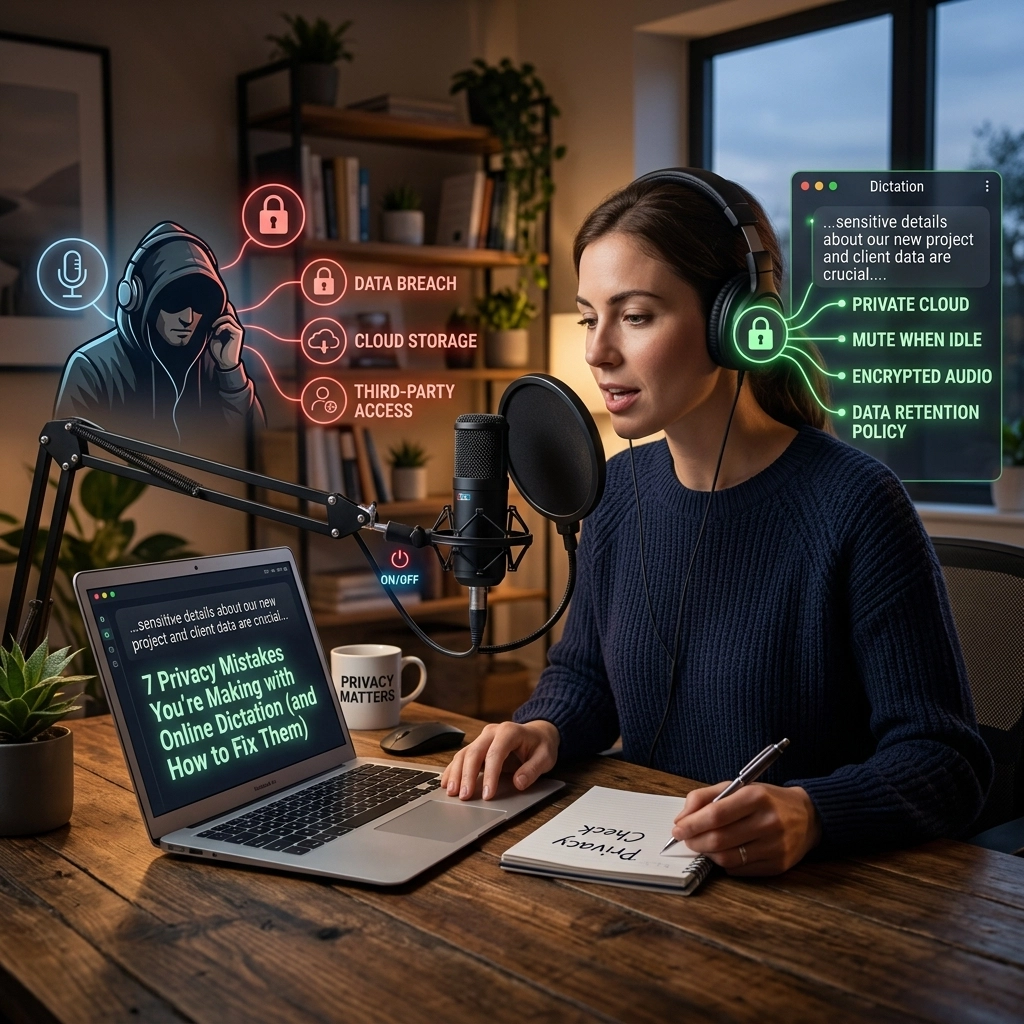
You talk. It types. It feels like magic.
For a legal professional, this isn't just a convenience. It is a lifeline. You dictate case notes between hearings. You record depositions. You draft complex motions while pacing your office. Your voice is your most productive tool.
But there is a hidden cost. Most dictation tools are "online first." They live in the cloud. They thrive on your data. Every time you speak, your client’s most sensitive secrets leave your room. They travel across the open internet. They land on a server you don't own.
You are making privacy mistakes that could jeopardize your practice. You are risking attorney-client privilege for the sake of an app. Stop.
Here are the seven privacy mistakes you’re making right now and exactly how to fix them.
1. You Are "Renting" Your Privacy to the Cloud
Most popular dictation apps function as a bridge. You speak into your phone or computer, and that audio is immediately sent to a remote server. The "brain" of the AI lives there, not on your device.
This is a massive vulnerability. If the data is in transit, it can be intercepted. If it is stored on a third-party server, it can be breached. You are trusting a corporation to guard your legal strategy.
The Fix: Go Offline.
Demand software that processes audio locally. Your voice should never leave your hardware. True privacy means zero data transmission. If you don't need an internet connection to type, you shouldn't need one to dictate.

2. You Are Training Someone Else’s AI for Free
Read the fine print. Most "free" or low-cost online dictation services include a clause about "improving the service." This is code for using your audio to train their models.
When you dictate a sensitive medical malpractice summary, the AI learns from your vocabulary, your facts, and your clients' names. You are effectively feeding your proprietary work product into a global machine. You are paying them with your client's confidentiality.
The Fix: Use Non-Learning, Private Models.
Switch to a tool like VoiceType that uses pre-trained models that stay static on your machine. Ensure your software agreement explicitly states that your data will never be used for model training. Own your data. Own your output.
3. You Are Ignoring the HIPAA-Ready Standard
In the legal world, medical records are everywhere. Personal injury, worker's compensation, and family law all involve Protected Health Information (PHI). If you dictate these details into a non-HIPAA-compliant tool, you are in violation of federal standards.
Many lawyers assume HIPAA only applies to doctors. Wrong. If you handle medical data, you are a "Business Associate." You need a tool that meets these rigorous privacy benchmarks.
The Fix: Prioritize HIPAA-Ready Infrastructure.
Only use dictation tools that offer HIPAA-ready security. This means end-to-end encryption if online, or better yet, a completely offline environment where data exposure is physically impossible.

4. You Rely on "Consumer-Grade" Assistant Tools
Siri, Google Assistant, and Alexa are great for setting timers. They are dangerous for legal work. These tools are designed for convenience, not confidentiality. They are "always listening" for a wake word.
When you use the default dictation button on a smartphone keyboard, you are often triggering a consumer-grade process. This data is tied to your personal advertising profile. It is not siloed. It is not secure.
The Fix: Professional-Grade Software.
Disable "Hey Siri" or "OK Google" in your office. Use dedicated, professional dictation software that only activates when you tell it to. Treat your dictation tool like a secure vault, not a household toy.
5. You Have No Control Over Data Retention
When you hit "stop" on an online dictation app, where does the audio go? Usually, it sits on a dashboard. It lingers in a "recent files" folder on a cloud drive.
If your laptop is stolen or your account is hacked, that history is a goldmine for bad actors. Most users never go back and delete their old audio files. You are building a digital paper trail of every confidential thought you’ve had in the last three years.
The Fix: Direct-to-Document Workflow.
Use a tool that types directly into your existing documents (Word, Clio, Notepad) without storing the audio file itself. Once the words are on the page, the audio should vanish. No trail. No risk.

6. The "Accuracy vs. Privacy" False Choice
Big Tech has convinced us that for an AI to be accurate, it must be massive and cloud-based. They want you to believe that "offline" means "stupid."
This is a lie. Modern AI hardware is powerful enough to run high-accuracy transcription locally on a standard laptop. You do not need to sacrifice your privacy to get 99% accuracy. You can have both.
The Fix: Local Power.
Test offline-first solutions. You will find that the speed and accuracy of modern local models often outperform cloud services because there is no "lag" from uploading large audio files.
7. You Are Mixing Personal and Professional Devices
The "Bring Your Own Device" (BYOD) culture is a privacy nightmare. Dictating a confidential memo on the same phone your kid uses to play games is asking for a breach. Personal apps often have permissions to read "media files" or "microphone data."
If your dictation app stores files locally on a shared personal device, those files are visible to other, less secure applications.
The Fix: Hardware Isolation.
Keep your professional dictation on your work machine. Ensure that your dictation software is isolated and does not sync audio files to personal cloud accounts like iCloud or Google Photos.
Industry Deep Dive: Why Legal Professionals Must Demand Offline Dictation
The legal industry is built on a single, unbreakable foundation: Trust.
When a client speaks to you, they expect their words to stay with you. In 2026, the biggest threat to that trust isn't a wiretap or a leaked file: it's the "convenient" software you use every day.
The Problem: The Transparency Gap
Online AI companies are opaque. They change their Terms of Service overnight. They get acquired by larger companies with different privacy ethics. Today’s "secure" cloud dictation is tomorrow’s data breach headline.
The Solution: Offline, HIPAA-Ready Power
For a lawyer, the only acceptable risk is zero risk. This is where VoiceType changes the game.
Imagine a tool that:
- Runs entirely on your laptop.
- Requires zero internet connection.
- Never sends a single byte of audio to the cloud.
- Is HIPAA-ready out of the box.
This isn't just about privacy; it's about speed. When the AI lives on your hard drive, the transcription is instant. There is no waiting for a server to respond. There is no "processing" wheel. You speak, and the words appear.

Reclaim Your Workflow
You spent years building your reputation. Don't throw it away for a "free" app that sells your voice data.
Stop renting your productivity.
Own your tools.
When you move your dictation offline, you aren't just fixing a privacy mistake. You are taking back control of your practice. You are ensuring that your client's secrets remain exactly where they belong: between you and the page.
The New Way vs. The Old Way
- The Old Way: Slow uploads, monthly subscriptions, "training data" leaks, and constant internet dependency.
- The New Way: Instant results, one-time ownership, total privacy, and works in the middle of a courtroom with no Wi-Fi.
The choice is clear. Your practice deserves professional-grade security.
Stop making excuses for online tools. Fix your privacy mistakes today. Switch to a workflow that respects your profession.
Explore how offline, HIPAA-ready dictation can transform your legal practice at voicetype.in.
Leave a Reply