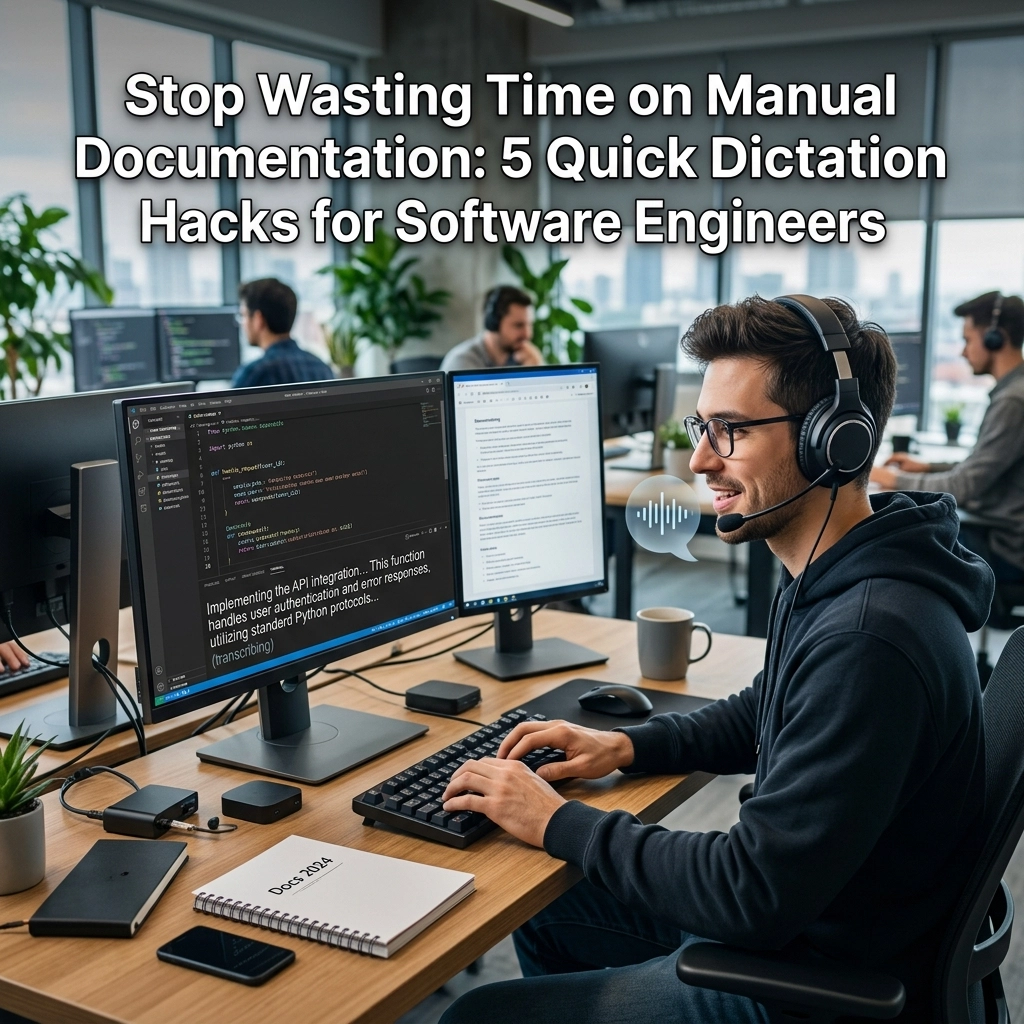
Manual documentation is where productivity goes to die. You spend hours writing elegant, performant code. Then, you spend another two hours explaining what that code does. It is tedious. It is repetitive. It kills your momentum. You are a software engineer, not a technical writer. You build systems. You solve problems. You don't want to spend your Friday afternoon wrestling with a Markdown file.
The bottleneck is your keyboard. You think faster than you type. You solve a complex bug in seconds, but describing the fix takes minutes. This gap is where your "flow state" evaporates. When you stop coding to document, you switch contexts. Your brain resets. You lose the thread.
There is a better way. Stop typing your documentation. Start speaking it. Dictation isn't just for hands-free driving or quick text messages. For the modern developer, voice-to-text is a high-performance utility. It bridges the gap between your thoughts and your IDE. It allows you to maintain speed. It keeps you in the zone.
VoiceType is built for this. We don’t care about fluff. We care about output. We care about your time. Here are five quick dictation hacks to reclaim your productivity and automate your documentation process.
1. Narrate Your Logic While You Code
The biggest documentation debt occurs when you finish a feature and realize you’ve forgotten why you made certain decisions. The logic was fresh an hour ago. Now, it’s a blur of syntax.
Stop waiting until the end. Dictate your thoughts as you write the lines. Use your voice to explain the "why" behind a complex regex or a tricky conditional block. Speak the logic out loud. VoiceType captures these verbal notes and converts them into structured comments instantly.
The Old Way: Write code. Finish feature. Stare at a blank README.md. Try to remember why you didn't use a standard library. Fail. Write generic comments instead.
The New Way: Speak as you type. "I'm using a custom debouncer here because the standard implementation causes a race condition in the search bar."
Direct. Fast. Done. You aren’t adding a task to your to-do list; you are finishing the documentation before the code is even committed.

2. The 60-Second PR Narrative
Pull Requests (PRs) are the lifeblood of collaboration. They are also a massive time sink. Most engineers provide the bare minimum: "Fixed bug," or "Updated UI." This helps no one. It leads to endless questions from reviewers. It slows down the merge.
Instead of typing a 500-word summary of your changes, record a quick narrative. Walk through the changes verbally. Describe the impact. Highlight the files that need the most attention.
Use dictation to draft your PR descriptions. You can speak 150 words per minute. You can only type about 40. Do the math. You can provide a comprehensive, detailed, and helpful PR description in under 60 seconds.
Actionable Step:
- Open your PR description field.
- Hit the dictation shortcut.
- Briefly state the problem, the solution, and any breaking changes.
- Let the AI clean up the grammar.
- Hit submit.
This transparency earns you respect from your peers and speeds up the review cycle. You become the engineer who provides clarity without sacrificing speed.
3. Convert "Brain Dumps" into Technical Specs
You’re in the shower. You’re on a walk. You’re driving. Suddenly, the architecture for the new microservice clicks. You have it. But by the time you get back to your desk, the nuances are gone.
Don't let these insights vanish. Use your phone to record a raw brain dump. Don't worry about formatting. Don't worry about being concise. Just talk. Explain the data flow. Mention the edge cases. List the dependencies.
When you get back to your machine, feed that transcript into your documentation workflow. VoiceType helps you turn raw speech into structured technical specifications. It strips the "ums" and "ahs." It gives you a clean starting point.
The result: You reclaim the hours you would have spent trying to reconstruct your genius. You move from idea to implementation with zero friction.

4. Dictate Inline Comments for Legacy Code
We have all been there. You open a file written three years ago by someone who is no longer at the company. There are no comments. The variables are named a, b, and c. You spend three hours reverse-engineering the logic.
When you finally figure it out, do the next person a favor. But don't break your stride. As you realize what a function does, say it out loud.
"This function calculates the tax offset for international orders, but it only triggers if the currency is set to USD."
Dictate that directly into the IDE. It takes three seconds. It saves the next developer three hours. Documentation isn't just about your current work; it’s about leaving the codebase better than you found it. When documentation is as easy as speaking, you actually do it. When it requires typing, you skip it. Stop skipping it.
5. Dictate During Pair Programming and Meetings
Meetings are usually a waste of time because the "action items" and "decisions" are lost as soon as the call ends. Someone is supposed to take notes, but they are too busy participating.
Don't rely on memory. During a pair programming session or a sprint planning meeting, keep a dictation tool running. When a decision is reached, state it clearly.
"We decided to use PostgreSQL for this instead of MongoDB because we need ACID compliance for the transaction history."
By the time the meeting ends, you have a written record of every key decision. You don't need a "follow-up email." You don't need a "sync." You have the documentation ready to be pasted into your project management tool.

Why Developers Resistance Dictation (and Why They Are Wrong)
Most developers are skeptical of dictation. They think it's for lawyers or doctors. They think it can't handle technical terms. They are living in 2010.
Objection: "Dictation doesn't understand code."
Truth: You aren't dictating the code itself. You are dictating the documentation. You are describing the logic. Modern AI models understand context better than ever. If you say "Kubernetes," it knows you don't mean "Coop or netties."
Objection: "It feels weird to talk to my computer."
Truth: It feels weirder to waste 10 hours a week typing things you already know. Get over the social awkwardness. Your productivity is more important than your ego.
Objection: "I need to think while I write."
Truth: Writing is a slow way to think. Speaking is a fast way to think. When you speak, you are forced to be clear. If you can't explain it out loud, you don't understand it well enough to code it.
The Quantifiable Benefit
Let’s look at the numbers. Assume you spend 20% of your week on documentation, PR descriptions, and emails. That is 8 hours a week. If you switch to dictation via VoiceType, you can cut that time by at least 60%.
That is 4.8 hours reclaimed every single week.
What can you do with an extra 5 hours?
- Build a new feature.
- Learn a new framework.
- Leave work early on Friday.
- Finally fix that annoying bug in the backlog.
Time is your most valuable asset. Stop burning it on manual labor.
Reclaim Your Focus
Context switching is the silent killer of engineering teams. Every time you move your hands from your keyboard to write a long-form document, you risk losing your momentum. Dictation allows you to keep your mental model intact. You stay in the code. You stay in the flow.
VoiceType isn't a luxury. It is a utility for the high-performance engineer. It sits in the background. It works when you need it. It stays out of your way when you don't.
Stop typing. Start speaking. Win back your day.
Try it now. Go to voicetype.in and see how much faster you can work when you stop letting your fingers slow down your brain.

Leave a Reply