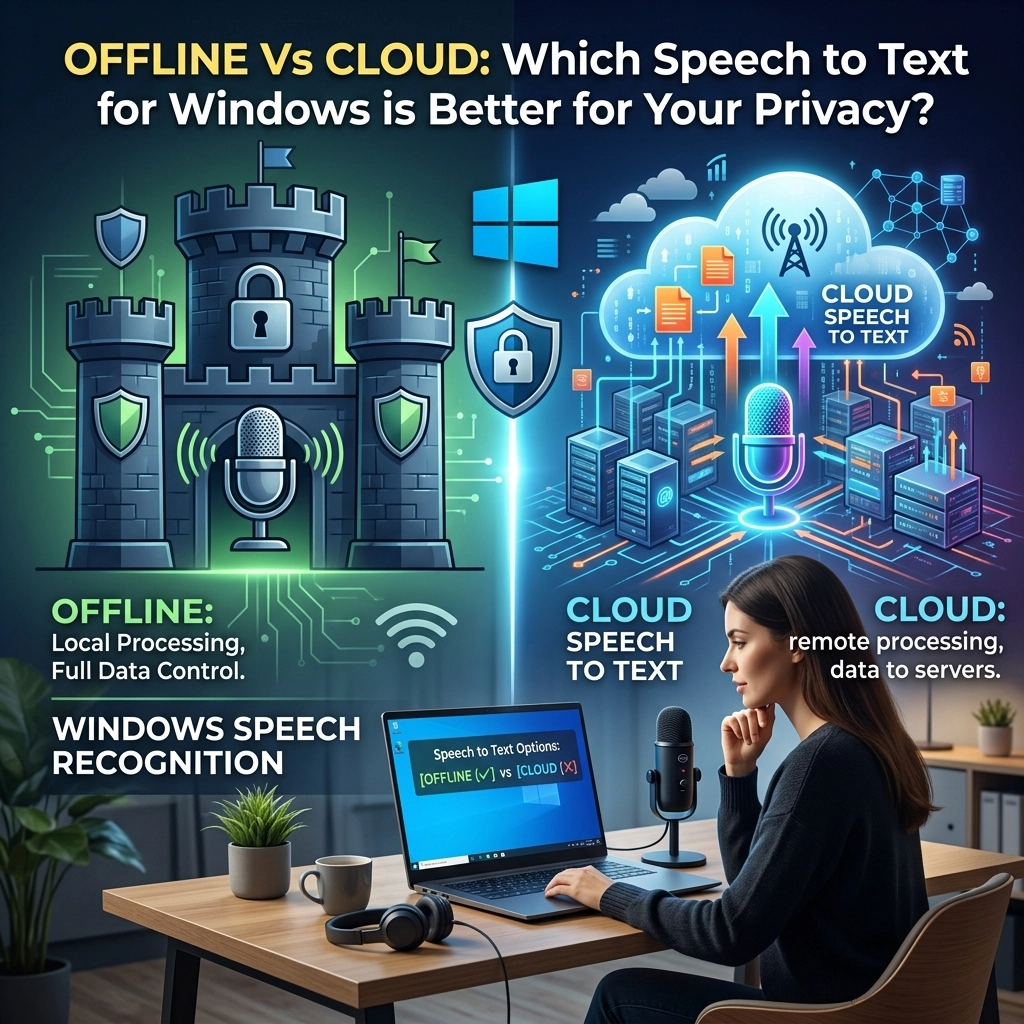
Stop pretending your data is safe in the cloud. It isn’t.
Every time you hit the dictation button on a standard Windows application, your voice isn't just staying on your computer. It is being packed, encrypted, and shipped off to a massive server farm owned by a tech giant. You are trading your privacy for a bit of convenience.
For the average user, this might be a minor annoyance. For a professional, it is a liability.
If you are a lawyer, a doctor, or a developer, your words are your most valuable asset. Sending them to the cloud is an unnecessary risk. You need to know the difference between cloud-based speech recognition and local AI. You need to understand why offline is the only choice for anyone who takes security seriously.
The Problem: The Cloud is Someone Else’s Computer
Cloud speech-to-text is the industry standard. It’s what Microsoft, Google, and Apple use. They tell you it's for "accuracy." They say they need the massive computing power of their servers to process your voice.
Here is the truth: they want your data.
When you use cloud-based dictation, your audio is processed on a remote server. Even if that data is deleted immediately: which it often isn't: it still leaves your machine. It travels through the open internet. It sits in a server memory buffer. It becomes part of a log.
Microsoft’s own documentation admits that they use voice data to "improve their products." This is corporate-speak for "we are using your private conversations to train our next model."
Think about what you dictate:
- Confidential client strategies.
- Sensitive medical histories.
- Proprietary source code.
- Internal company secrets.
Once that data hits the cloud, you’ve lost absolute control. You are relying on a third party to keep their promises. In a world of data breaches and "accidental" privacy leaks, that is a dangerous bet.

The Solution: Air-Gapped Privacy
Offline speech-to-text changes the game. It flips the script.
When you use an offline tool like VoiceType, 100% of the processing happens on your local hardware. No audio leaves your machine. No text is sent to a server. No data is logged in a remote database.
This is what we call air-gapped privacy.
Imagine you are working in a high-security environment. You could literally pull the Wi-Fi card out of your laptop, and VoiceType would still work perfectly. It doesn't need an internet connection to "verify" your license or "optimize" its performance. It just works.
This isn't just about being paranoid. It’s about being professional.
Why Professionals Choose Offline
- Legal Professionals: Your attorney-client privilege is only as strong as your weakest link. If you dictate a case strategy using a cloud tool, you have introduced a third party into a privileged conversation. Offline dictation ensures that your notes stay between you and your machine.
- Healthcare Workers: HIPAA compliance isn't a suggestion; it’s the law. Using non-compliant cloud tools for patient notes is a fast track to a massive fine. Offline AI processing is the gold standard for medical privacy.
- Developers: You spend your day writing intellectual property. Dictating comments or documentation into a cloud-based service is essentially handing your code over to a tech giant. Keep your IP local.
The Accuracy Myth
For years, the argument against offline speech-to-text was accuracy. People claimed that "local" models weren't smart enough to handle complex accents or technical jargon.
That was true in 2015. It is a lie in 2026.
Modern local AI models: like the ones we’ve integrated into VoiceType: are built on neural networks that rival or exceed cloud performance. We use optimized versions of OpenAI's Whisper, which is widely considered the most accurate speech-to-text engine in existence.
The difference? We run it on your CPU and GPU.
You no longer have to choose between a tool that understands you and a tool that protects you. You can have both. In fact, offline is often faster. There is no latency. There is no waiting for a server to respond. You speak, and the words appear instantly.

The Subscription Trap vs. Ownership
There is another hidden cost to cloud dictation: the monthly bill.
Most cloud providers want to "rent" you their software. They want a monthly subscription fee. They want you to pay forever for the privilege of giving them your data.
We hate that model. It’s inefficient and expensive.
VoiceType is a one-time purchase. You buy the software, you download the models, and you own it. You don't need to ask for permission to use it. You don't need to worry about a price hike next month. You don't need to worry about the service being "retired" by a corporation.
Ownership is the ultimate form of productivity. When you own your tools, you control your workflow.
How to Switch to Offline Dictation Today
If you are still using the default Windows dictation or a cloud-based web app, it’s time to stop. Reclaim your privacy and your speed.
Here is how you make the switch:
- Evaluate your current tools. Look at your settings. If it requires an internet connection to work, it's a privacy risk.
- Download VoiceType. Get the software that runs 100% locally on your Windows machine.
- Run the local setup. VoiceType will download the AI models once. After that, you can go completely offline.
- Dictate everywhere. Use it in VS Code, Slack, Word, or your email client. It works globally across your OS.
Hard Numbers: Cloud vs. Offline
Let's look at the facts.
| Feature | Cloud-Based (Microsoft/Google) | VoiceType (Offline AI) |
|---|---|---|
| Data Privacy | Audio sent to external servers | 100% Local / Air-Gapped |
| Internet Required | Always | Never (after initial setup) |
| Speed | Variable (depends on ping) | Instant (zero latency) |
| Pricing | Monthly Subscription | One-time Purchase |
| Data Logging | Yes (for "improvement") | No (None. Zero.) |
| Accuracy | High | High (Whisper-based) |
The choice is obvious.
Reclaim Your Privacy
You wouldn't let a stranger sit in your office and record everything you say. So why are you letting big tech do it through your microphone?
The shift to local AI is the biggest productivity upgrade of the decade. It allows you to work faster, stay focused, and keep your business your business.
Don't settle for "good enough" privacy. Demand absolute privacy.
Stop wasting time on typing. Stop risking your data on the cloud. Switch to the VoiceType way of working. It’s direct. It’s fast. It’s yours.
Check out our sitemap for more guides on how to optimize your Windows workflow with local AI. Or just head to the homepage and see what a one-time purchase for total privacy looks like.
You do the talking. We'll keep the secrets.
Leave a Reply