Your voice is your most personal data. It is unique. It is identifiable. And right now, you are probably giving it away for free.
Most professionals think online dictation is a productivity hack. It isn't. Not if you value your privacy. When you use cloud-based tools, your words don't just stay on your screen. They travel. They get stored. They get analyzed.
If you handle sensitive client data, legal documents, or medical records, you are walking through a minefield. You are making mistakes that could cost you your reputation.
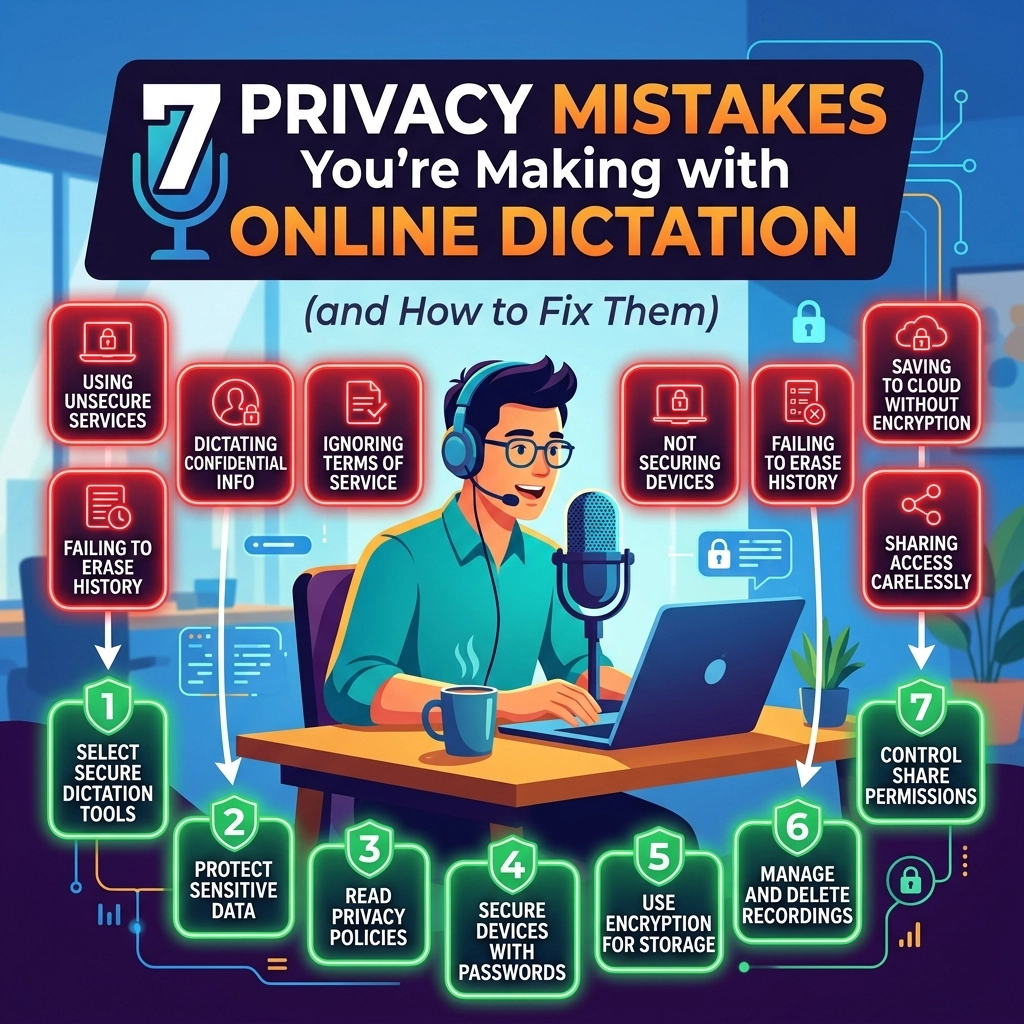
Stop. Look at how you work. Here are the seven privacy mistakes you are making with online dictation: and exactly how to fix them.
1. You Are Training the Competition
Every time you speak into a cloud-based AI, you are an unpaid intern. You are feeding their machine. You provide the raw material they need to get smarter.
Cloud providers use your "anonymized" data to train their models. But data is rarely truly anonymous. Patterns emerge. Context leaks. If you dictate a proprietary strategy or a sensitive legal brief, that information becomes part of a giant data pool.
The Fix: Go 100% Offline.
Stop sending your voice to a server. Use software that lives on your hard drive. If the AI doesn't need an internet connection to work, it can't steal your ideas. It's that simple.
2. The "Hot Mic" Trap
Online dictation tools often keep the microphone active longer than you think. Some apps trigger automatically. Others don't close the connection when you stop talking.
Think about your office. Think about the conversations happening in the background. Private phone calls. Discussions about payroll. Household noise. If your dictation tool is "always listening" for a wake word or waiting for the next sentence, it is capturing everything.
The Fix: Manual Control and Local Processing.
Direct your hardware. Use a tool that requires a deliberate action to start and stop. More importantly, ensure that even if the mic is on, the audio never leaves your room. 100% local processing means background noise stays in the background, not on a server in another country.

3. Ignoring the BYOD Security Gap
Bring Your Own Device (BYOD) is a disaster for privacy. You use your personal phone for a quick work note. You use the default assistant that came with the OS.
These assistants are built for consumers, not professionals. They prioritize convenience over confidentiality. Your personal device is likely synced to a personal cloud. Now, your work data is sitting in your personal storage, unencrypted and vulnerable.
The Fix: Professional-Grade Tools Only.
Separate your personal life from your professional data. Never use consumer-grade "assistants" for work tasks. Install a dedicated, offline dictation tool like VoiceType on your work machine. Keep your data where it belongs: under your control.
4. Trusting Browser Extensions
Browser extensions are a privacy nightmare. Many "free" dictation plugins are actually data scrapers. They ask for microphone permissions, and you click "Allow" without thinking.
Once they have access, they can listen. They can track what you type. They can see what you dictate and sell that metadata to advertisers. You think you’re getting a free tool. You’re actually the product.
The Fix: Audit Your Permissions.
Delete the fluff. Remove any extension that isn't essential. If you need dictation, use a standalone desktop application. Desktop apps have more robust security boundaries than browser-based scripts. Protect your workflow from prying eyes.

5. The Shared Workspace Exposure
Are you using a cloud-based AI workspace? Maybe you dictate notes into a shared team folder. If your settings aren't perfect, your "private" drafts are visible to everyone in the organization.
Misconfigured permissions are the leading cause of data leaks. One wrong click and your raw, unedited voice notes are available to the entire marketing department. Or worse, to an external contractor.
The Fix: Eliminate the Cloud Hub.
Don't upload to a shared cloud to process your audio. Process it locally. Finalize the text on your machine. Only move the finished, polished document to the shared space when you are ready. Control the flow of information.
6. Rented Privacy vs. Owned Privacy
Most dictation services are subscriptions. You pay every month to access their "secure" cloud. This is rented privacy. The moment you stop paying, or the moment they change their Terms of Service, you lose control.
Subscription models thrive on data retention. They want you to keep your history on their servers so you can't leave. They own the platform, so they own the rules.
The Fix: Buy, Don't Rent.
Choose software that you own. Seek out tools that offer a lifetime license and run locally. When you own the software, you own the data. You aren't beholden to a corporation’s changing privacy policy. Reclaim your digital sovereignty.

7. The Metadata Trail
Even if a cloud provider promises they don't "listen" to your recordings, they are still logging the metadata. They know when you dictate. They know how long you dictate. They know your IP address and your location.
This metadata creates a footprint. For a high-stakes professional, this footprint is a liability. It’s a paper trail that shouldn't exist.
The Fix: Total Isolation.
Work in a vacuum. Offline dictation produces zero metadata on the web. No logs. No timestamps on a remote server. No IP tracking. It is the only way to ensure total anonymity for your work process.
Why Offline is the Only Way Forward
The "old way" of doing things was risky. You trusted big tech companies with your most sensitive thoughts. You relied on their promises. You hoped they wouldn't get hacked. You hoped they wouldn't change their mind about how they use your data.
Hope is not a security strategy.
The "new way" is local. It is fast. It is secure. It is VoiceType.
We built VoiceType for the professionals who can’t afford a leak. We built it for the lawyers, the doctors, and the executives who know that "cloud" is just another word for "someone else's computer."
The VoiceType Advantage:
- 0% Cloud Dependency: We don't have servers for your data. Your voice never leaves your computer.
- 100% Privacy: No training on your data. No logs. No metadata.
- Blazing Speed: No lag from internet connections. Local processing means instant results.
- One-Time Cost: Stop renting your productivity. Own your tools.

Take Action Now
Don't wait for a data breach to change your habits. Don't wait for a client to ask why their sensitive information is appearing in an AI's training data.
Reclaim your privacy. Reclaim your time.
- Uninstall the cloud-based dictation apps that are currently monitoring you.
- Disable "Always Listening" features on your mobile devices.
- Switch to an offline-first workflow.
Your voice is powerful. Keep it yours.
Explore how we handle data at voicetype.in and see our full site map for more security resources at voicetype.in/sitemap.xml.
The era of giving away your data is over. It’s time to speak freely again. Securely. Locally. With VoiceType.
Leave a Reply